Medical & Healthcare
 Cybersecurity
 Travel & Hospitality
 Edtech
 Enterprise
 Non-Profit
 Fintech
 Agritech
 Retail & Real Estate
 Design for AI
Google is Solving for the First 10 minutes and More
Google Labs is quietly building AI tools that don’t replace workflows, they sit on top of them. Learn how these contextual app layers reduce cognitive load at the exact moment users get stuck, and how to apply this thinking to your own product.

CONTENTS
Google Labs and the Rise of AI “App Layers”Examples of AI app layers in actionMixboard (Google Labs): Idea & concept layerStitch: UI Design & Front-End LayerDoppl (Google Labs): Virtual try-on layerSupport Agents (Google Cloud): Workload layerWhy This Shift MattersA Question Worth Asking (for Product and Design Teams)Social Share


CONTENTS
Google Labs and the Rise of AI “App Layers”Examples of AI app layers in actionMixboard (Google Labs): Idea & concept layerStitch: UI Design & Front-End LayerDoppl (Google Labs): Virtual try-on layerSupport Agents (Google Cloud): Workload layerWhy This Shift MattersA Question Worth Asking (for Product and Design Teams)Social Share
CATEGORIES
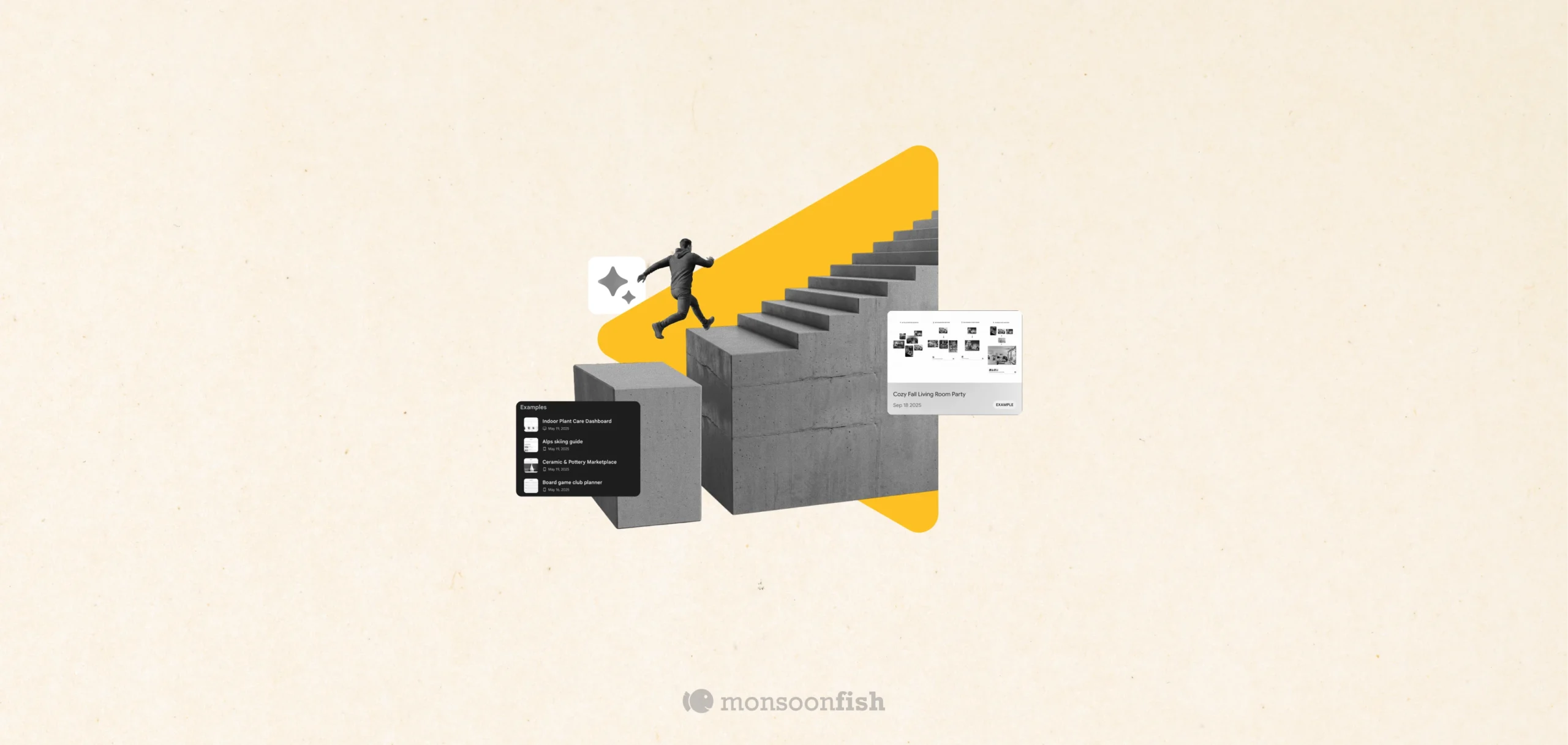
That first moment, when you open a tool, start a project, or sit down to create, is where most people quit.
Not because they’re bad at what they do, but because starting is genuinely hard.
It often feels like staring at a blank canvas while your brain cycles through:
“I don’t know.”
“Maybe?”
“Nope.”
Those first 10 minutes are full of friction, hesitation, and cognitive load. And that’s exactly where a lot of modern AI products are beginning to focus.
What’s interesting is that this struggle to begin isn’t new, but the way products are responding to it is.
Google Labs and the Rise of AI “App Layers”
Google Labs is currently experimenting with a range of AI tools that don’t try to replace full applications. Instead, they act like quiet layers that sit on top of real workflows.
Think of them as assistive surfaces inside an app, showing up right when you’re stuck.
These AI app layers typically do three things well:
- Start you faster by giving you a first draft or direction
- Cut busywork by reducing steps and repetitive actions
- Keep you in flow by minimizing context switching and tab-hopping
Rather than asking users to “prompt better,” these tools give people something to react to. And that makes all the difference.
Once you start looking at products through this lens, you begin to notice a clear pattern emerging.
Examples of AI app layers in action
The easiest way to understand this is to look at a few concrete examples.
Mixboard (Google Labs): Idea & concept layer
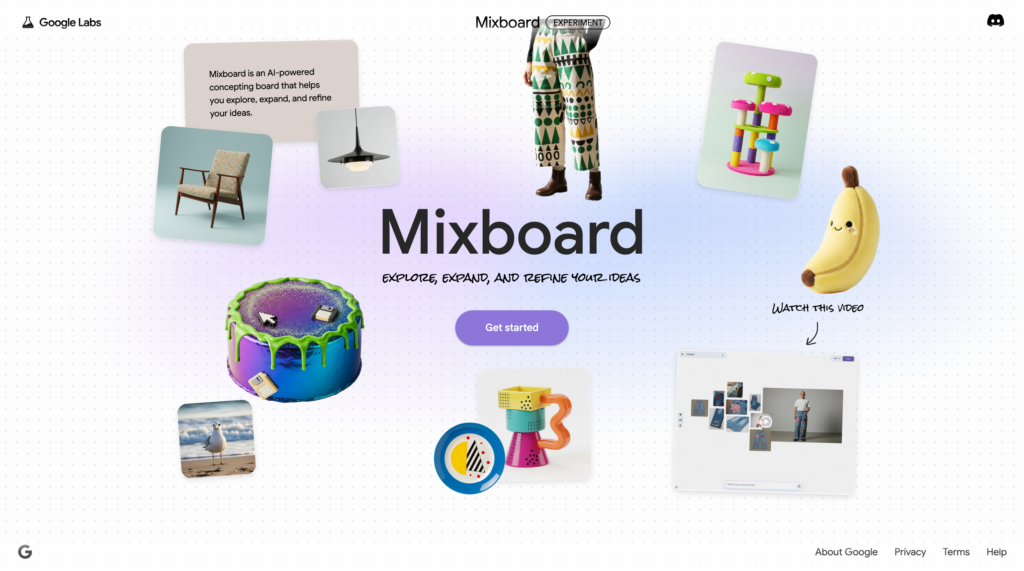
Mixboard is an AI-powered concept board designed to help users explore, expand, and refine ideas.
Instead of starting with nothing, you start with options on a canvas.
Helpful for:
- Marketing and branding teams
- Campaign and event planning
- Creative direction
- Home décor and interior concepts
If your work involves ideation before decision-making, this layer removes the fear of the blank page.
While Mixboard tackles creative ambiguity, other layers focus on speed and execution.
Stitch: UI Design & Front-End Layer
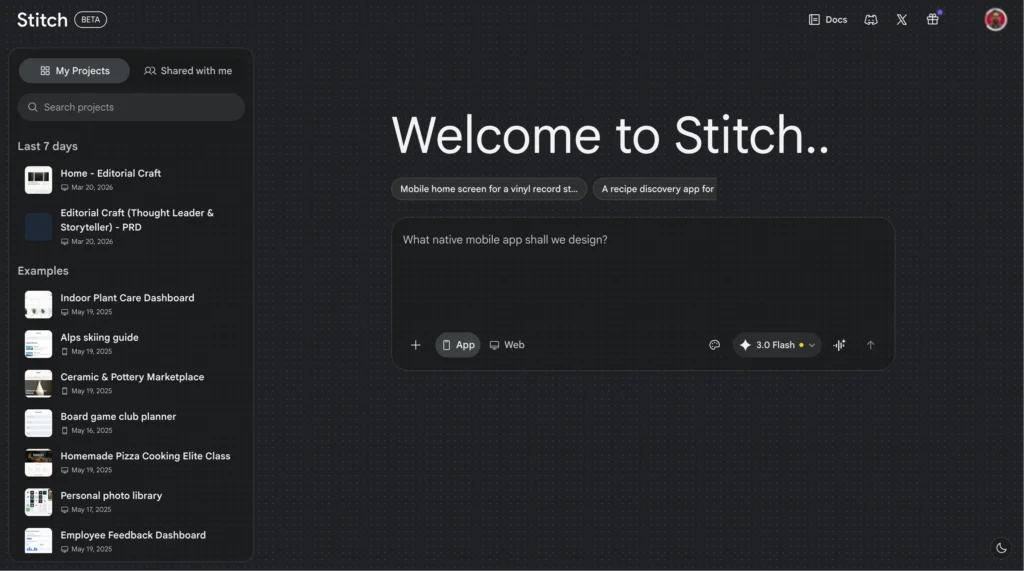
Stitch generates usable UI layouts for mobile and web, making early-stage design exploration faster.
It’s not about perfect design, it’s about momentum.
Helpful for:
- Product and UX teams
- UI designers and developers
- Agencies and startup founders
When you need a solid first-pass interface to react to and iterate on, Stitch helps you move forward quickly.
Not all friction is creative, some of it is emotional and decision-driven.
Doppl (Google Labs): Virtual try-on layer
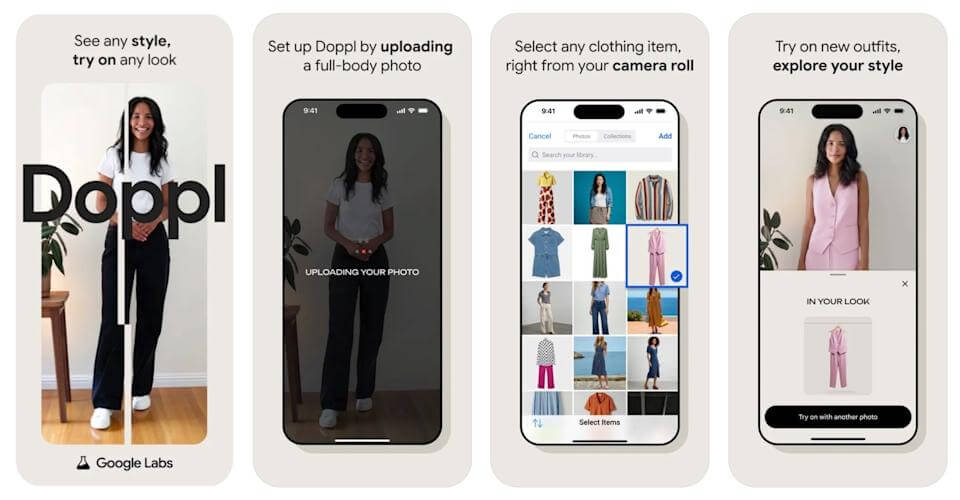
Doppl focuses on virtual styling and try-ons, helping shoppers visualize products before buying.
This layer tackles uncertainty, one of the biggest blockers in ecommerce decisions.
Helpful for:
- Fashion and lifestyle ecommerce
- Marketplaces and D2C brands
- Retail discovery experiences
“Try it on” isn’t just a feature, it’s a confidence builder.
And then there’s a completely different kind of friction, operational overload.
Support Agents (Google Cloud): Workload layer
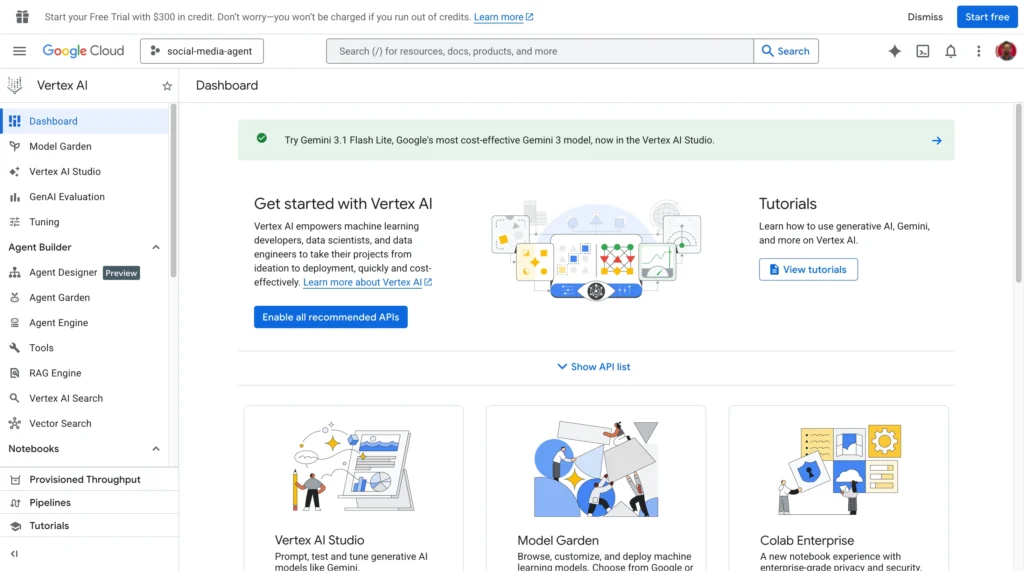
Outside Labs, tools like Vertex AI Agent Builder help enterprises build AI agents grounded in their own data.
These agents handle repetitive queries and workflows at scale.
Helpful for:
- SaaS, fintech, travel, telecom
- Customer support teams
- Internal operations
Here, the AI layer reduces human overload rather than creative friction.
Seen together, these tools point to a larger shift in how products are being designed.
Why This Shift Matters
At Monsoonfish, we’ve seen this pattern across research studies, usability tests, and product audits: people rarely fail because of complexity, they fail because of hesitation.
The drop-offs usually don’t happen deep inside a feature. They happen right at the start:
- When a dashboard feels too empty
- When a form asks too much upfront
- When users don’t know what a “good” first step looks like
AI app layers work because they address a very human need, help me begin without making me feel stupid or dependent.
Good design has always done this through defaults, scaffolding, examples, and progressive disclosure. AI simply makes this layer adaptive, contextual, and faster.
When AI is treated as a quiet design layer, not a magic replacement, it strengthens user confidence instead of overwhelming it.
Users don’t want AI shouting instructions.
They want AI to show up quietly, contextually, and only when they’re stuck, offering a starting point, not a final answer.
That’s where real adoption happens.
Which naturally leads to a question every product team should pause and reflect on.
A Question Worth Asking (for Product and Design Teams)
If you could add one AI layer to your product today, ask yourself:
- Where do users hesitate in the first 5–10 minutes?
- Where do they slow down or abandon entirely?
- Where do they need something to react to instead of an empty state?
At Monsoonfish, we believe the most valuable AI moments aren’t flashy demos, they’re invisible nudges that reduce cognitive load and keep people moving.
Solve that moment, and you’re not just adding AI.
You’re designing for momentum.
If you could add one AI layer to your product today:
- Where do users hesitate?
- Where do they slow down?
- Where do they abandon them?
Solve that moment, and you’ve solved more than just a feature.
CATEGORIES
Why the Best Products Feel Simple… Until You Need More

The best products don’t show everything upfront they reveal complexity gradually. From Slack to Aadhaar, this “Onion Peel Design” approach helps users stay focused, confident, and in control. Instead of cutting features, the key is layering them—so users see what they need, exactly when they need it.
AI features Users Don’t Trust Yet: Designing for Trust

AI features can be powerful, but users still pause before trusting them. Not because they hate AI, but because the experience doesn’t make reliability obvious. This blog explores why trust breaks in AI products and the UX patterns that help users verify outputs, stay in control, and adopt AI with confidence.
Good UX is boring (and that’s the point)
A friend showed me a “cool” app—animations, pulsing buttons, and micro-interactions everywhere. For a minute it looked impressive. By minute three, he was negotiating with it: double tapping, second-guessing saves, hunting for missing filters. That’s when “cool” stops being the goal. Good UX often feels boring because it quietly gets you to the outcome and gets out of your way.