Medical & Healthcare
 Cybersecurity
 Travel & Hospitality
 Edtech
 Enterprise
 Non-Profit
 Fintech
 Agritech
 Retail & Real Estate
 Design for AI
Redesigning ARAPL RaaS’s Robotics App for Smarter Warehouse Operations
Affordable Robotic & Automation Ltd. (ARAPL) manufactures robots that work inside busy warehouses where products are constantly moving in and out — being sorted, shifted, and shipped. And as more warehouse activity became automated, one gap became obvious: operators still didn’t have a clear system to manage the robots.


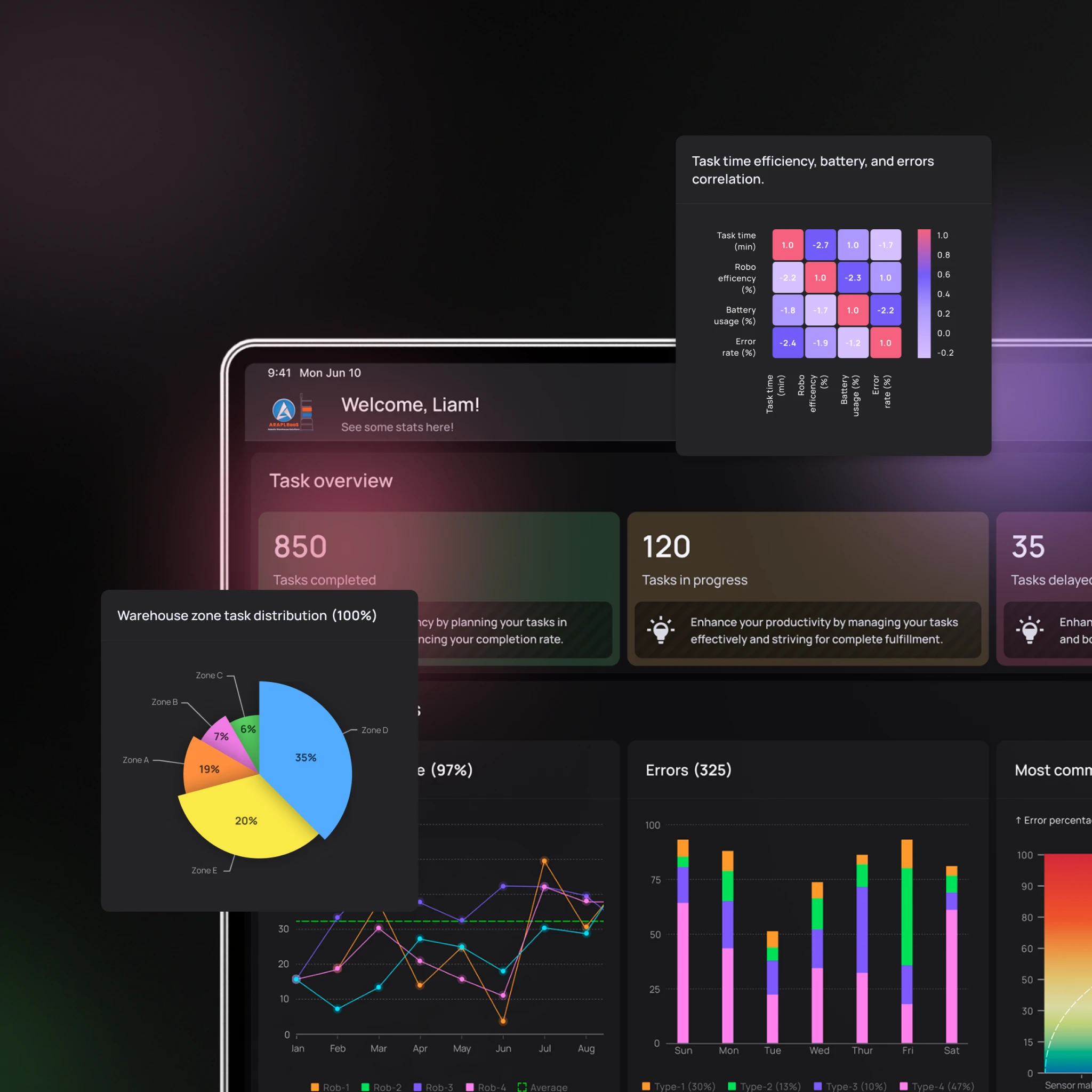
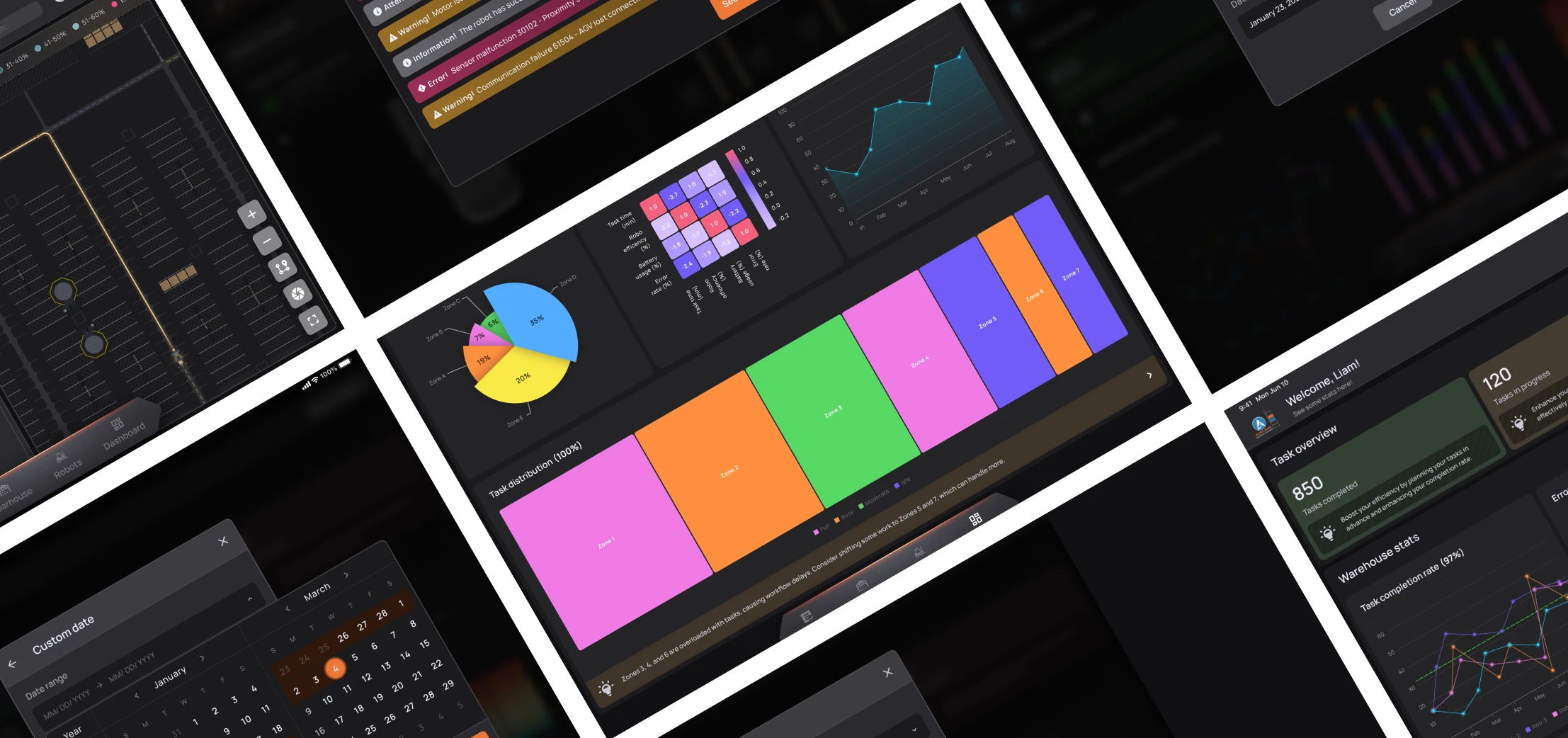
Turning a Basic Robot-Status Screen Into a Full Warehouse Operations Management System
Our design goals for ARAPL focused on one transition: from basic robot monitoring → to a structured app for managing warehouse workflows.
- Create a complete operations layer: Move beyond “robot active/inactive” and support real warehouse management needs.
- Build structured task creation + tracking: Enable users to create tasks, track progress, and manage warehouse movement with clarity.
- Add live warehouse visibility through a map: Introduce a live tracking experience so operators can monitor robot movement in real time.
- Introduce onboarding for first-time users: Design warehouse onboarding and robot onboarding so new users are in the loop.
- Make the product feel modern and scalable: Ensure the UI reflects ARAPL’s robotics ambition: futuristic, structured, and enterprise-ready.
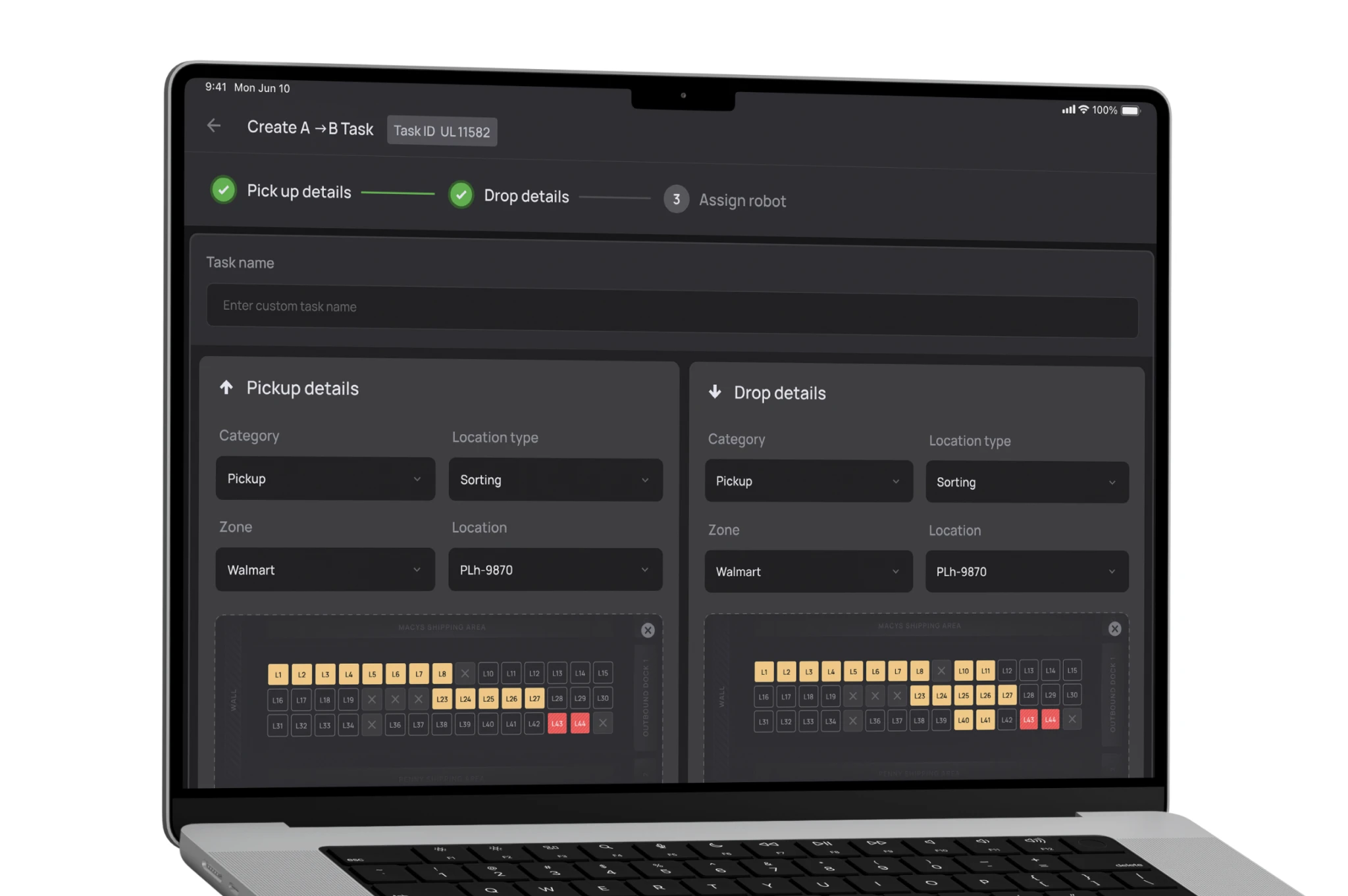
Our Process

Pain Points
User Challenges
- Operators couldn’t do much beyond checking if the robots were active.
- There was no structured way to create tasks or track task progress.
- Robot movement inside the warehouse wasn’t visible or easy to monitor.
- First-time users had no onboarding to set up warehouses and robots smoothly.
Systemic Challenges:
- ARAPL’s robots were solving real warehouse problems, but the app didn’t reflect that scale.
- Workflows needed to support both standard and custom warehouse layouts.
- The app had to balance “futuristic” with practical warehouse usability.

Discovery
We conducted a survey with a diverse group of users to validate what warehouse teams actually need while managing automation workflows.
Some users were still using traditional tools and expressed a need for:
- a more user-friendly experience
- robot tracking
- performance statistics
- better control and visibility
- and multi-user readiness
Other users already had their own robotics systems, but were still looking for:
- more efficiency
- better task management
- and more customisation
This research helped us define a clear direction: The app couldn’t just be a status screen, it had to function like a real operational tool.

Implementation
The redesigned ARAPL RaaS app was built to help warehouse operators manage robots and movement workflows more clearly.
- Task Creation + Task Tracking: We introduced the ability to create tasks, track progress, and manage day-to-day warehouse activity with more structure.
- Breaking workflows into subtasks: We designed a system where warehouse workflows can be broken down into subtasks, allowing the app to assign them intelligently and optimize robot utilisation, while keeping task initiation manual where needed.
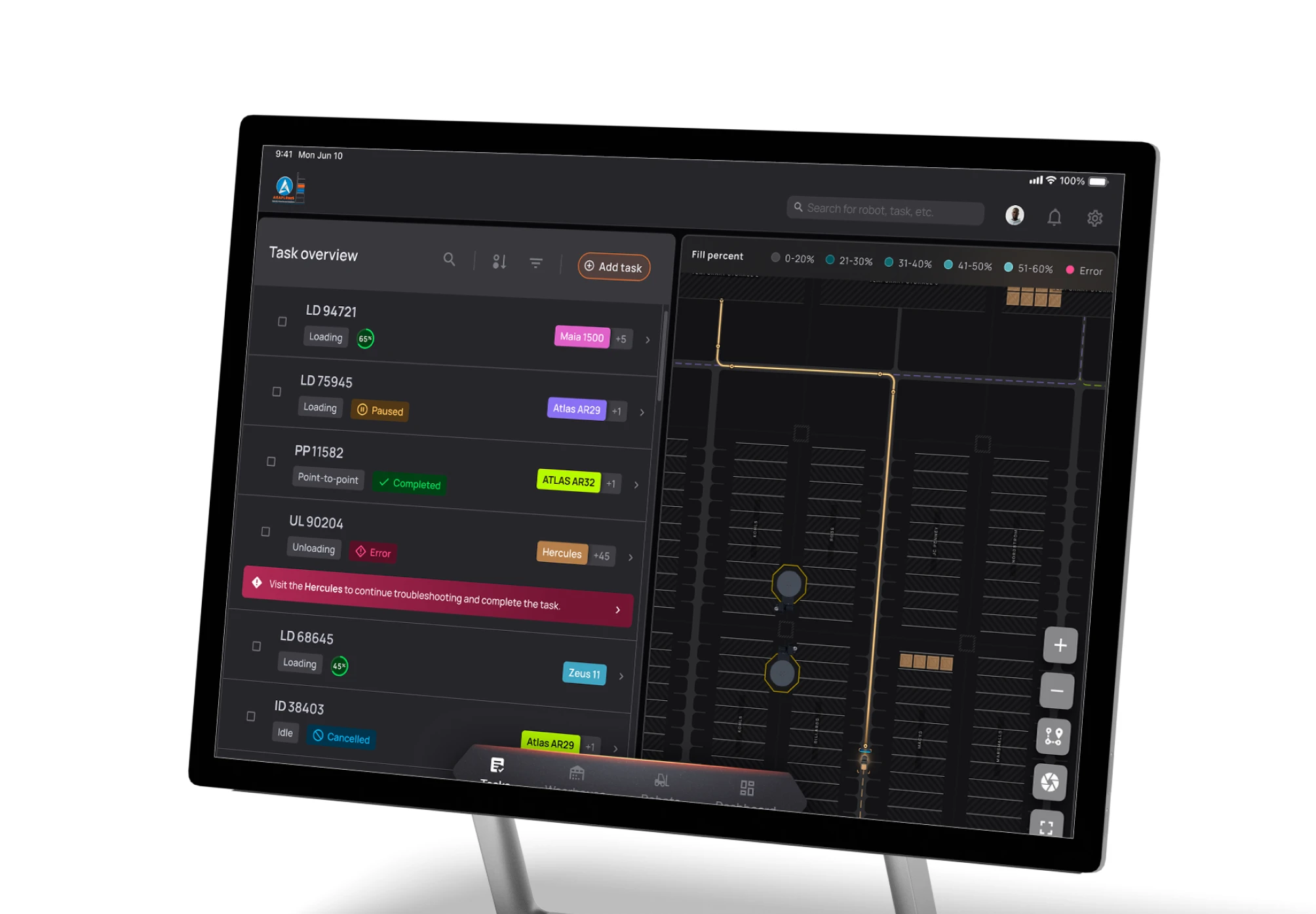
- Live Map View for robot tracking: A new map feature helps teams monitor robot movement inside the warehouse and keep an eye on overall warehouse activity in real time.
- Warehouse onboarding + robot onboarding: We added onboarding flows that were missing earlier, so first-time users can set up: warehouse environments and robot configurations with a guided, coach-style flow.
- Dashboard with KPIs and insights: A new dashboard layer gives managers a quick overview of key operational signals, helping them monitor daily performance without digging through multiple screens.
Outcomes
Outcomes
Team Monsoonfish redesigned ARAPL RaaS’s app into a structured, futuristic warehouse operations experience. We transformed the product from a limited-status tool into a system that supports: task creation and tracking, workflow structuring through subtasks, live robot tracking through a map, onboarding that improves first-time usability and KPI-level visibility for managers.
The result is an app that feels more complete, more scalable, and more aligned with ARAPL’s robotics vision.
Helping ARAPL move from “robots running” to “warehouse running smoothly”
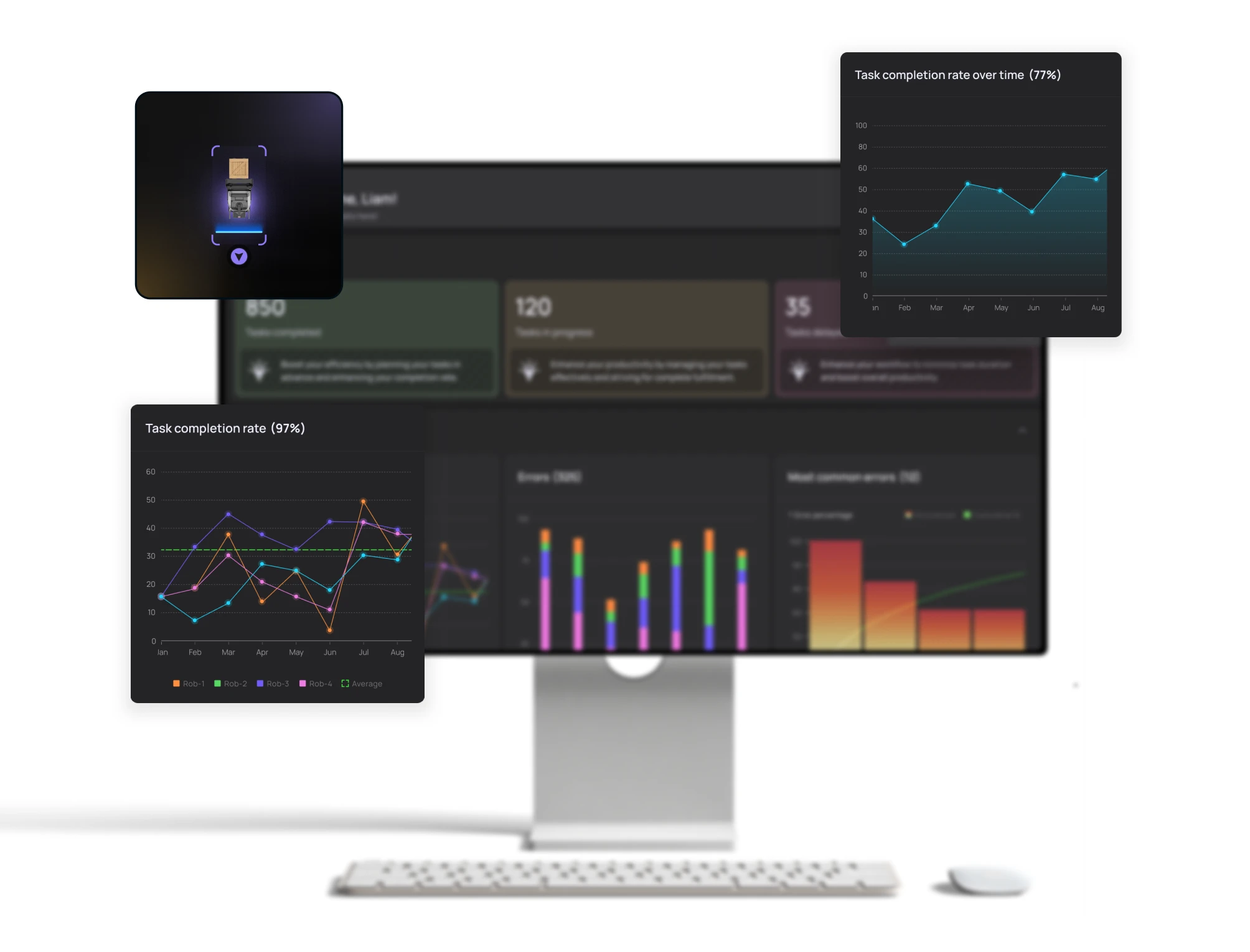
Helping ARAPL move from “robots running” to “warehouse running smoothly”
- Instead of just giving ARAPL a cleaner UI, we worked on the real gap: operators had robots, but no system to run them smoothly. So we redesigned the app around actual warehouse operations: onboarding first, then task creation and tracking, then live robot movement through a map, and finally a dashboard to monitor performance. The result is an experience that doesn’t just show that robots are “active.” It helps teams manage workflows with clarity, even as warehouse activity scales.
Impact
Business Impact
- Stronger product maturity: The app now reflects ARAPL’s real warehouse robotics capabilities.
- Clearer operations layer: Teams can manage tasks and workflows more meaningfully.
- Modern digital perception: The app feels futuristic, structured, and enterprise-ready.
- Scalable foundation: The design supports future feature expansion and customisation.
User Impact
- Faster understanding: Users can quickly grasp robot activity and warehouse status.
- Better visibility: Live tracking reduces guesswork during operations.
- Smoother onboarding: First-time users can set up warehouses and robots confidently.
- Simpler task management: Task tracking and subtasks improve daily workflow clarity.
Let’s explore your project.
Book a free slot or share your email.
Or just share your email
We’ll reach out.
Other CASE STUDIES